

Big Lock
From Growtopia Wiki
More actions
Locks 48 tiles around itself.
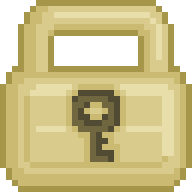
Big Lock

Locks 48 tiles around itself.
Properties
This item never drops any seeds.
This item can't be destroyed - smashing it will return it to your backpack if you have room!
This item has special properties you can adjust with the Wrench.
A lock makes it so only you (and designated friends) can edit an area.
This item can't be destroyed - smashing it will return it to your backpack if you have room!
This item has special properties you can adjust with the Wrench.
A lock makes it so only you (and designated friends) can edit an area.
| Data | Paint Preview | |
|---|---|---|
| Type |  Lock – Foreground Lock – Foreground | |
| Render Type | Single | |
| Collision Type | Full Collision | |
| Hardness |  10 Hits 10 Hits  8 Hits – Restores after 5s of inactivity 8 Hits – Restores after 5s of inactivity | |
| Gems Drop |  N/A N/A | |
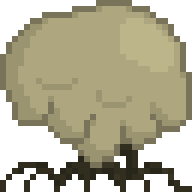 1h 1h #D9CB8BFF #E8DEAAFF | ||
Paint Preview | ||
| Growtopia Store
|
|---|
| Purchase the Big Lock for 200 in the Growtopia Store.
|
"Protect up to 48 tiles.Can access friends to the lock so others can edit that area as well. It's a perma-item, is never lost when destroyed."
|
| Every purchase will give 1 item. |
 NPC Trading NPC Trading
|
|---|
Buy 1 of this item from Locke The Salesman or  Lock-Bot for Lock-Bot for  Small Lock (x5). Small Lock (x5).
|
"Ah, you're ready to step up in the world! Cash in those Small Locks for something a bit bigger!"
|
 During Lunar New Year During Lunar New Year
| ||||
|---|---|---|---|---|
|


The Big Lock is an unsplicable solid lock foreground block which was added as part of Growtopia's launch.
Function
A Big Lock can lock a maximum of 48 tiles. It can be wrenched to change its settings such as giving other players access, ignoring empty air, or setting the locked area to public.
Trivia
- During the early times of Display Block's release, all kind of locks could be displayed in Display Blocks. However, this lead to arise of a new scamming method, where world owners made the world public and asked other players to place locks into the Display Blocks, so they could steal the locks afterwards. Hence, in order to prevent this type of scams, the DEV team decided to make locks undisplayable. However, some worlds with displayed Big Locks were left behind, which are quite rare nowadays.
Gallery
-
 The textures of Big Lock
 -
 Big Lock's old store button

