

User:Librarian Bird/Transcripts
More actions
Adventure Items in General
 Adventure Items in General
The Adventure Items are a set of special items that all function in the same way: once placed, they float in the world, waiting to be punched.
When a player punches an Adventure Item, the item is collected into their Adventure Inventory. This is not the same as your normal inventory. Your Adventure Inventory is a set of icons above your nametag. You can only carry up to 5 Adventure Items in it. If you leave the world, they will all disappear. They can't be traded or used directly.
Everything involving Adventure Items is personal to each player. When you punch an Adventure Item, only you see it change. To everyone else, it is still there, and they can collect it too. Keep this concept in mind for all the Adventure features. If you see somebody floating in the air above an Adventure Barrier that's not solid, don't be confused - it's solid for them!
Once you have collected an Adventure Item, there are a few places it can be useful. Check out the other sections in this documentation to see what can be done with these items.
Use Adventure Items and the associated other Adventure features to build a unique, personalized adventure for players who visit your world! You can make puzzles, not just parkour!
The Adventure Begins!
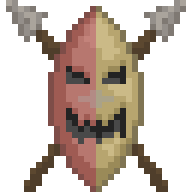 The Adventure Begins!
Use the items The Adventure Begins and Adventure's End to set up your overall adventure. You don't need to use either one to make an adventure, but they can set up a specific challenge. Players try to get from The Adventure Begins to Adventure's End before time or lives run out.
The Adventure Begins
When players step here, their Adventure Inventory is reset. Wrench this item to specify a limit of time or lives. If the player runs out of either time or lives, their Adventure Inventory is reset again, and they'll lose their current checkpoint, respawning at the white door.
Adventure's End
This does nothing if the player hasn't begun their adventure at The Adventure Begins. But if they have, and they step here, then they win! ALL players in the world are notified of how much time they took and how many lives they have left, and their Adventure Inventory and checkpoint are reset.
Gateway To Adventure
 Gateway To Adventure
This item works like a Door, but it has up to 5 different destinations the player can choose by pressing buttons. However, not all of the buttons are visible to each player. It depends on which Adventure Items they have collected.
There are also 5 lines of text you can show. These lines can be hidden based on the player's Adventure Items as well.
To limit a line or button's appearance, you begin the text of the line with special Item Codes. An Item Code is made of two symbols. The first symbol can be -, +, or #. The second symbol is a letter which says which item you are referring to (such as R for Adventure Item - Rope).
You may put multiple Item Codes on the same line, such as [+G-R-TYay]. This line will say "Yay" if they are carrying the Crystal Goblet, or they aren't carrying the Rope or the Torch.
Using multiple Item Codes is a lot more useful if you start the Line with an &. This symbol means "AND". So if you change the above example to [&+G-R-TYay], now it will only say "Yay" if you are carrying the Crystal Goblet AND you aren't carrying the Rope AND you aren't carrying the Torch.
Adventure Item Codes
 Adventure Item Codes
Each different Adventure Item has a unique one-letter code you use to reference it in Tomb Robber and Gateway To Adventure settings.
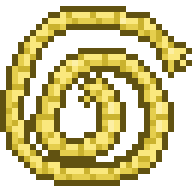 Rope: R
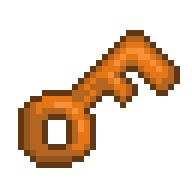 Key: K
 Torch: T
Banana: B
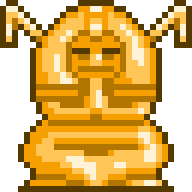 Golden Idol: I
 Crystal Goblet: G
 Pineapple: P
In the Gateway To Adventure, you must precede the Item Code with another symbol to indicate what you want to do with it, as below:
 - makes the line/button appear if they do not have the named item.
+ makes the line/button appear if they do have the named item.
# is the same as +, but if they press the button, the item is taken away from them.
& can be used at the start of a line to mean that all the symbols shown must be true for the line to appear. Without it, the line will appear if any of them are true.